Beast Structure
Beast Structure is the procedural shape system used to create a generated Beast from inspector settings.
The main component is BeastStructure. It owns the serialized BeastSettings, creates the generated hierarchy, and exposes rebuild and clear operations.
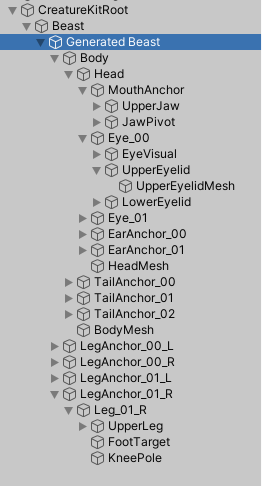
In This Section
- Structure Concepts
- Accessing Generated Beast Parts
- Inspector Workflow
- Structure Presets
- Detail Level And Shape Profiles
- Structure Gallery
Typical Workflow
- Add or create a Beast in the scene.
- Choose a structure preset or edit the Beast settings directly.
- Adjust global shape, body, head, eyes, ears, mouth, neck, legs, and tail.
- Click
Rebuild Structurewhen needed. - Apply a Surface preset to define colors and materials.
- Add animation components when the shape is ready.
Structure settings define the creature. Demo controller settings define sample scene behavior. Keep those two ideas separate when integrating Creature Kit in a game.