Detail Level And Shape Profiles
Detail level and shape profile control the style and cost of generated Beast meshes.
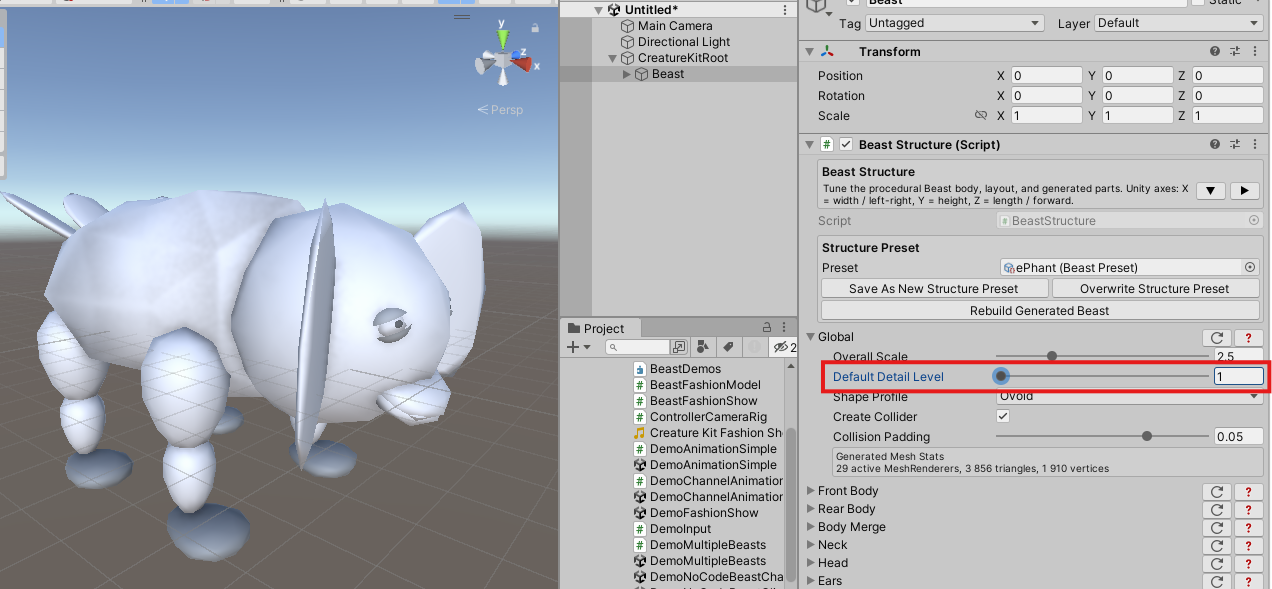
Detail Level
Default Detail Level controls mesh density for generated parts that use procedural mesh subdivision.
Recommended authoring range:
| Value | Use |
|---|---|
1 to 2 |
Fast previews, stylized low-poly creatures, large crowds. |
3 |
Default balance between shape quality and generation cost. |
4 |
Higher visual quality for close-up creatures. |
5 |
Highest detail. Use carefully because structure generation can take longer. |
Presets should generally stay conservative. Raise detail level only when the visual gain matters.
Shape Profiles
Shape profiles define the broad mesh style:
Ellipsefor smooth ellipsoid shapes;Ovoidfor organic tapered shapes;RoundedCubefor flatter sides with softened corners;Cubefor blocky stylized shapes;Tetrahedronfor sharp faceted shapes;InvertedTetrahedronfor the opposite tetrahedron orientation;Capsulefor rounded cylinder shapes aligned on the length axis.
The global shape profile provides the default style. Some parts can override the global profile to create mixed creatures.
Authoring Tips
Use the same proportions when comparing shape profiles, otherwise silhouette changes can hide the profile difference. Compare detail levels on a creature that has curved parts, because flat or cube-like parts may not show the cost/quality tradeoff clearly.