Structure Presets
Structure presets store reusable Beast shape settings.
Use a structure preset when you want to create a named creature template, reuse a creature family, or quickly return to a known shape.
Built-In Presets
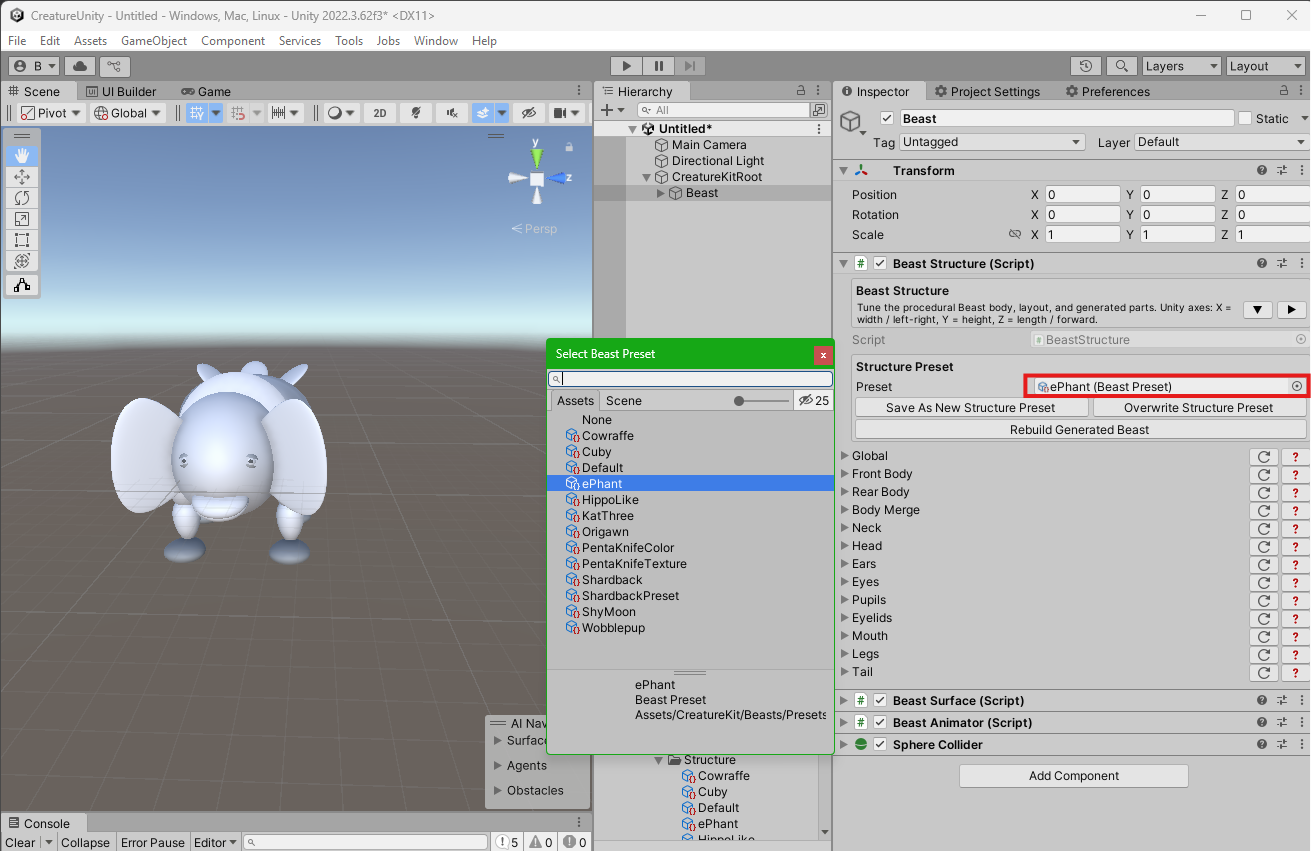
Creature Kit includes Beast presets such as:
DefaultShyMoonPentaKnifeKatGreenHippoLikeePhant
These presets are starting points. They can be used as-is, duplicated, or adjusted in the inspector.
Apply A Preset
- Select the Beast GameObject.
- Open the
Presetsfoldout. - Choose a structure preset.
- Click
Apply Structure Preset. - Rebuild the structure if needed.
Save A Preset
When a Beast shape becomes useful as a reusable creature, save it as a new preset from the inspector.
Keep structure presets focused on shape. Use Surface presets for colors and materials.
Preset assets are project assets. Keep custom presets in a project-owned folder when they represent game content, and keep the shipped presets unchanged as package examples.