Surface Presets
Surface presets are applied from the BeastSurface inspector.
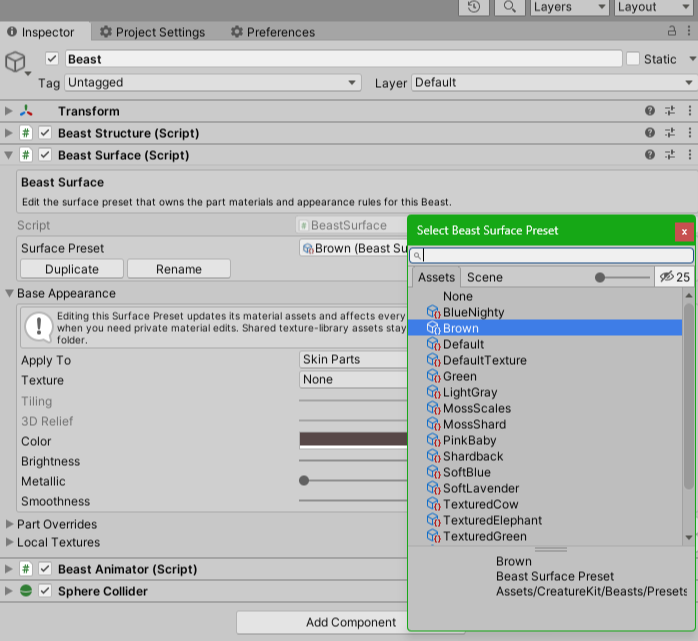
Apply A Surface Preset
- Select a Beast.
- Find the
BeastSurfacecomponent. - Assign a
Surface Preset.
The preset is applied immediately. The Beast keeps its structure; only the material assignments change.
Duplicate A Surface Preset
Use Duplicate Surface Preset when you want to edit colors or material properties without changing the original preset.
The duplicate operation creates:
- a new
BeastSurfacePresetasset; - a matching folder containing copied materials for each Beast part slot;
- an inspector notice with the created folder path.
This is the recommended workflow for creating a custom creature look.
Keep duplicated Surface presets with their copied material folder. That makes it clear which materials belong to the editable variant and prevents accidental edits to shared package presets.